

A Campaign represents all the components of a sold order — usually mirroring a contract, purchase or insertion order with a client. You can create a campaign from two places; the only difference is whether the account field is pre-filled.Documentation Index
Fetch the complete documentation index at: https://platform195.mintlify.app/llms.txt
Use this file to discover all available pages before exploring further.
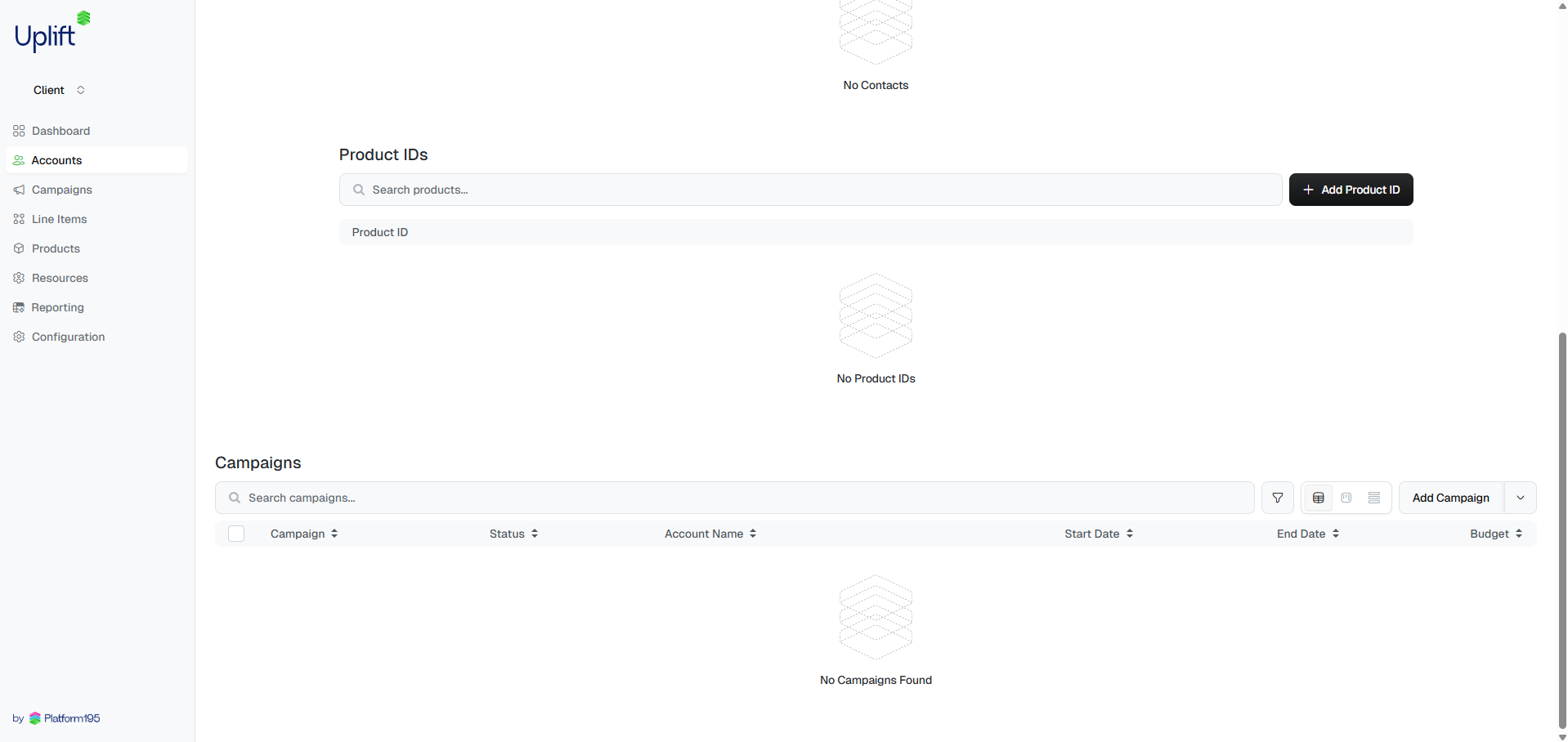
Two ways to start
From the Campaigns table — select from the sidebar, then click in the top right. The account field will be blank; you’ll need to select the advertiser from the dropdown.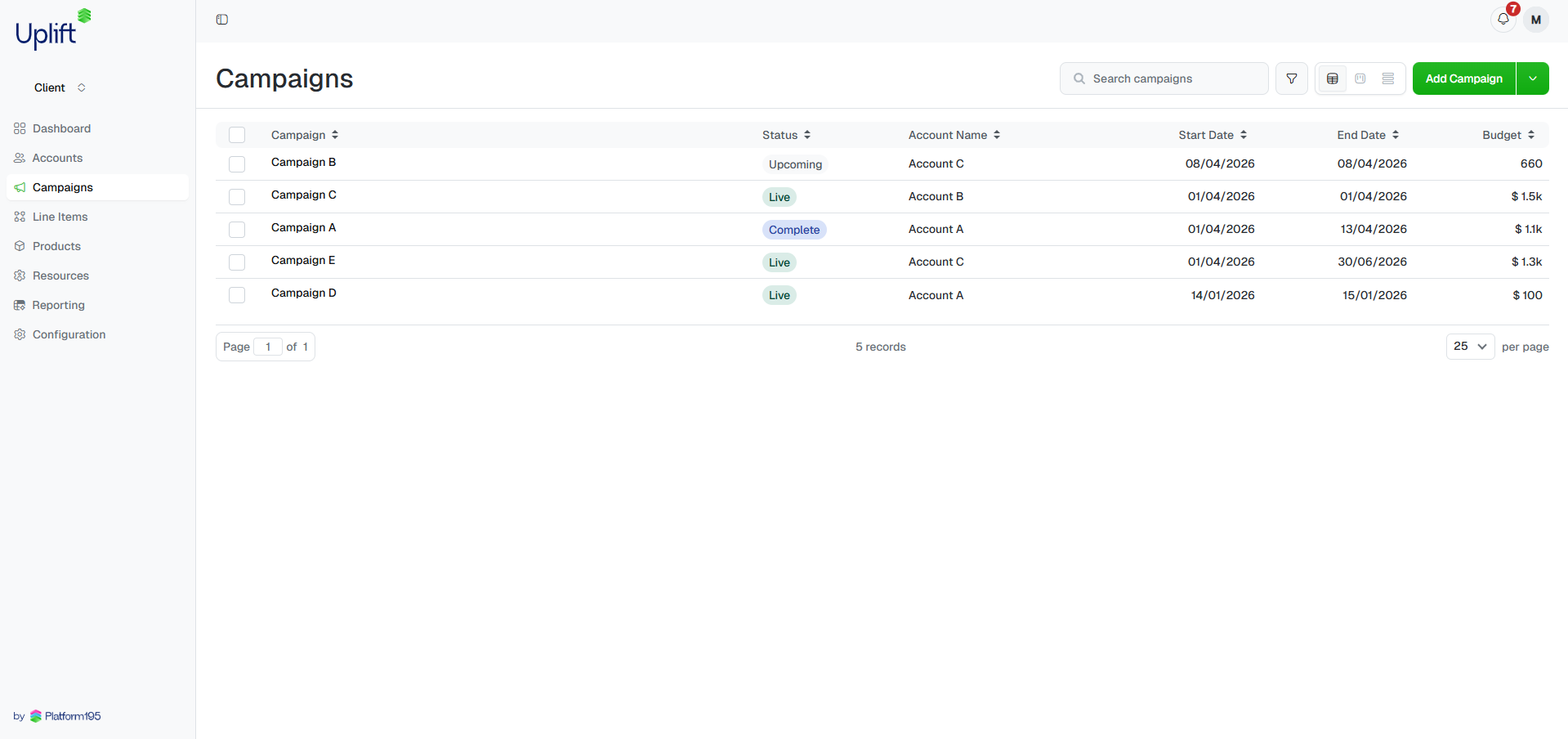
Choose a campaign type
Select either Package or Custom — this is the only field you cannot
change after saving. See Package vs Custom below if
you’re unsure which to pick.
Fill in details
Complete the campaign details. Required fields are marked with a red
asterisk *. A few fields worth noting: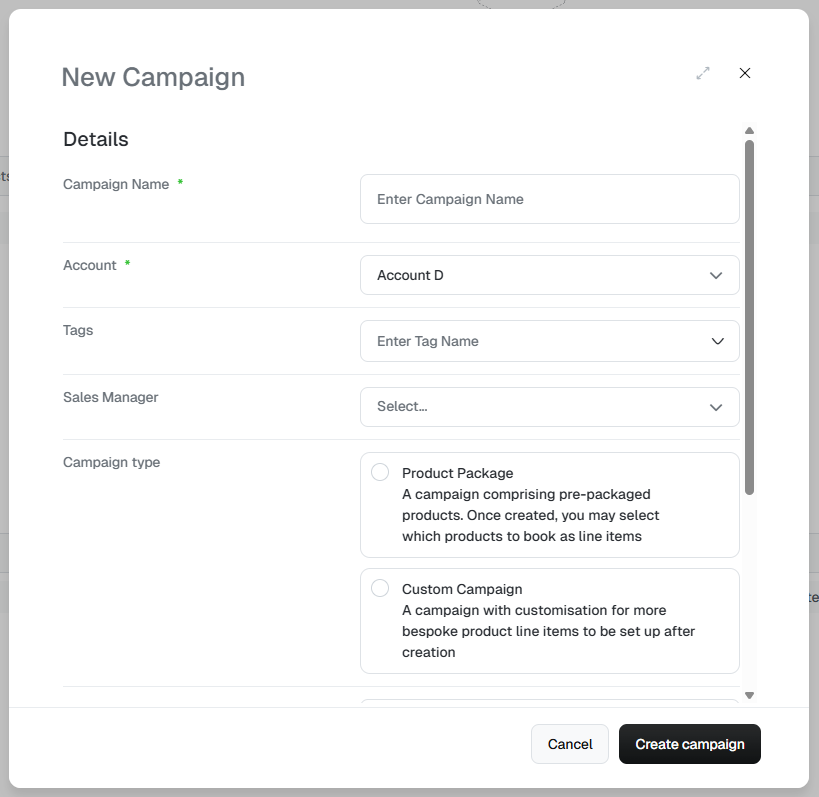 Click when done.
- Account — pre-filled if you started from an account; otherwise select from the dropdown.
- Currency — set at creation and cannot be changed afterwards.
- Sales probability — use this to indicate how confirmed the campaign is. Set to
100once the order is fully sold and closed. Useful for pipeline reporting.
Check what's been created
For Package campaigns, line items are generated automatically — you’ll
see them populated on the campaign immediately after saving. For Custom
campaigns, the line items table will be empty; head to
Adding line items to build out the media plan.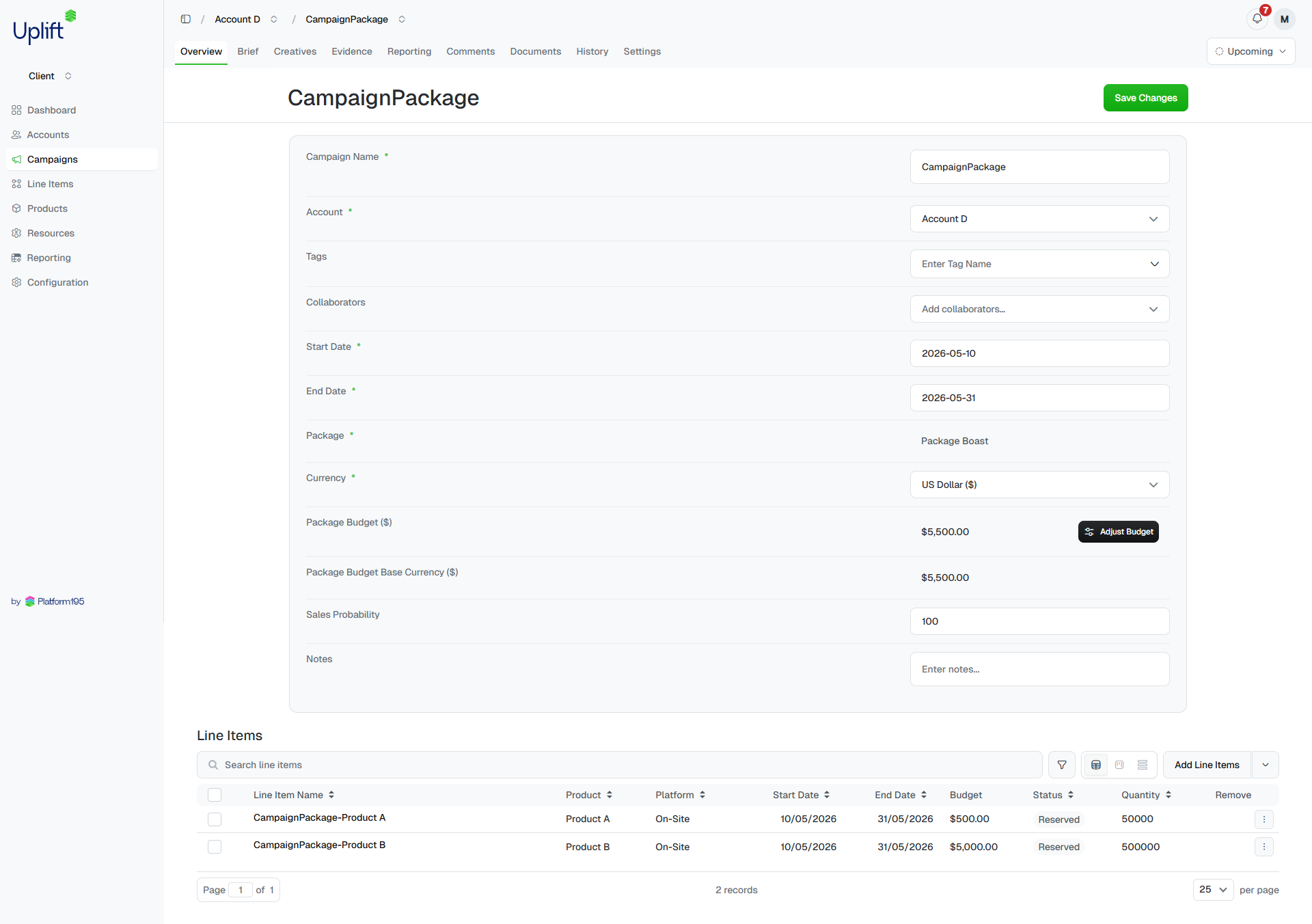
Package vs Custom
Package
A Package is a predefined grouping of products sold together. When you create a Package campaign, Uplift Hub automatically generates the line items that make up the package — you don’t need to add them manually. Packages come in two forms: Fixed packages — each product’s price is locked. You cannot change the overall campaign budget after creation. Blended packages — each product has a percentage weighting of the total campaign budget. You can adjust the campaign budget at any time, and each line item’s value updates automatically based on its weighting.Blended package example — a two-product campaign with a £400 budget:
Product A at 25% = £100, Product B at 75% = £300. Change the budget to £800
and it becomes £200 and £600. The weightings stay fixed; the values flex.