

Creatives live at the line item level. Each line item can have multiple creatives — useful when you need different assets for different flight periods or variations. To add a creative, open the line item and switch to its tab.Documentation Index
Fetch the complete documentation index at: https://platform195.mintlify.app/llms.txt
Use this file to discover all available pages before exploring further.
Open the Creatives tab
Navigate to the line item — either from the sidebar page
or through its parent campaign — then click the tab. The
table shows all existing creatives with their name, status, creative type,
date type, and flight dates.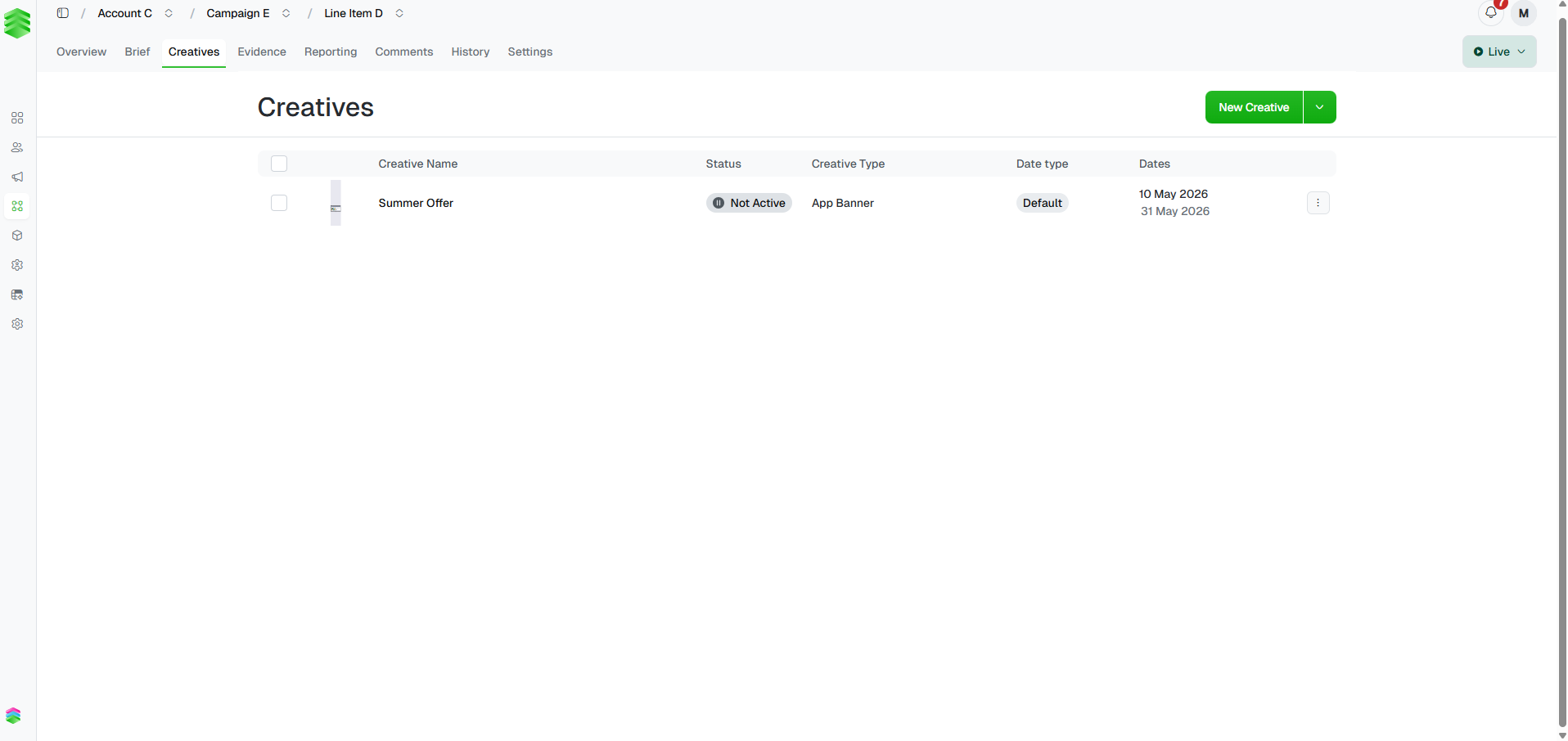
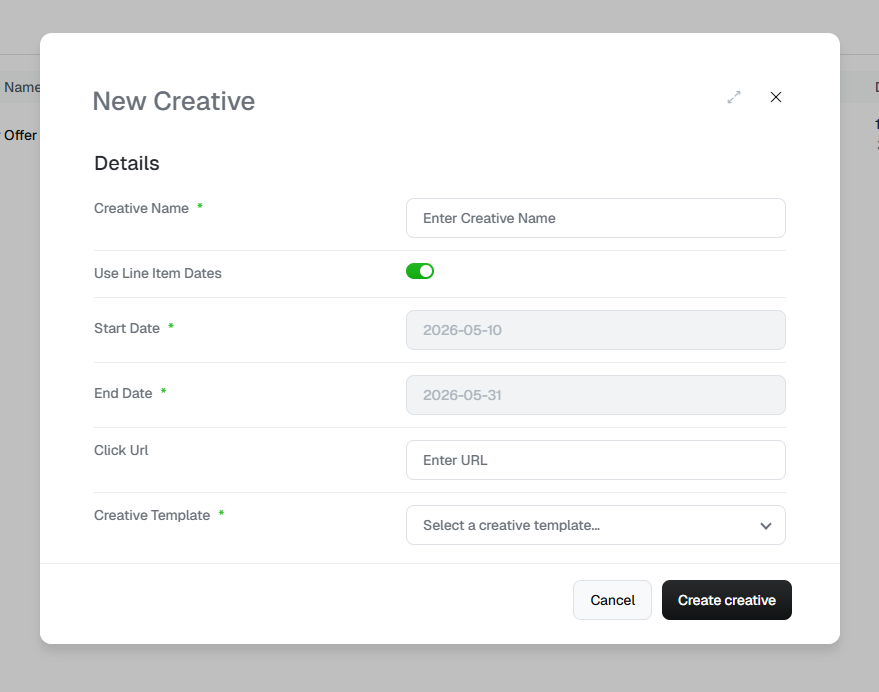
Fill in the details
Complete the form before clicking :
| Field | Notes |
|---|---|
| Creative Name | A clear, descriptive name — shown in the creatives table and the campaign roll-up. |
| Use Line Item Dates | On by default. The creative inherits its start and end dates from the parent line item. Toggle off to set custom dates — the Date type column will show Default when inherited, or the custom range when overridden. |
| Start / End Date | Only editable when Use Line Item Dates is off. |
| Click URL | The destination page when a user clicks the ad. |
| Creative Template | Determines the format and the Creative Components fields on the detail page. Templates are product-specific and built by the Platform 195 support team — contact your account manager if you need a new one. |
Create the creative
Click . A “Creative Successfully Created” confirmation
appears and you land on the creative detail page, ready to add components
and assets. See Building creatives for next steps.